

November 7, 2026
DyskLink — Mac and Android over Wi-Fi.
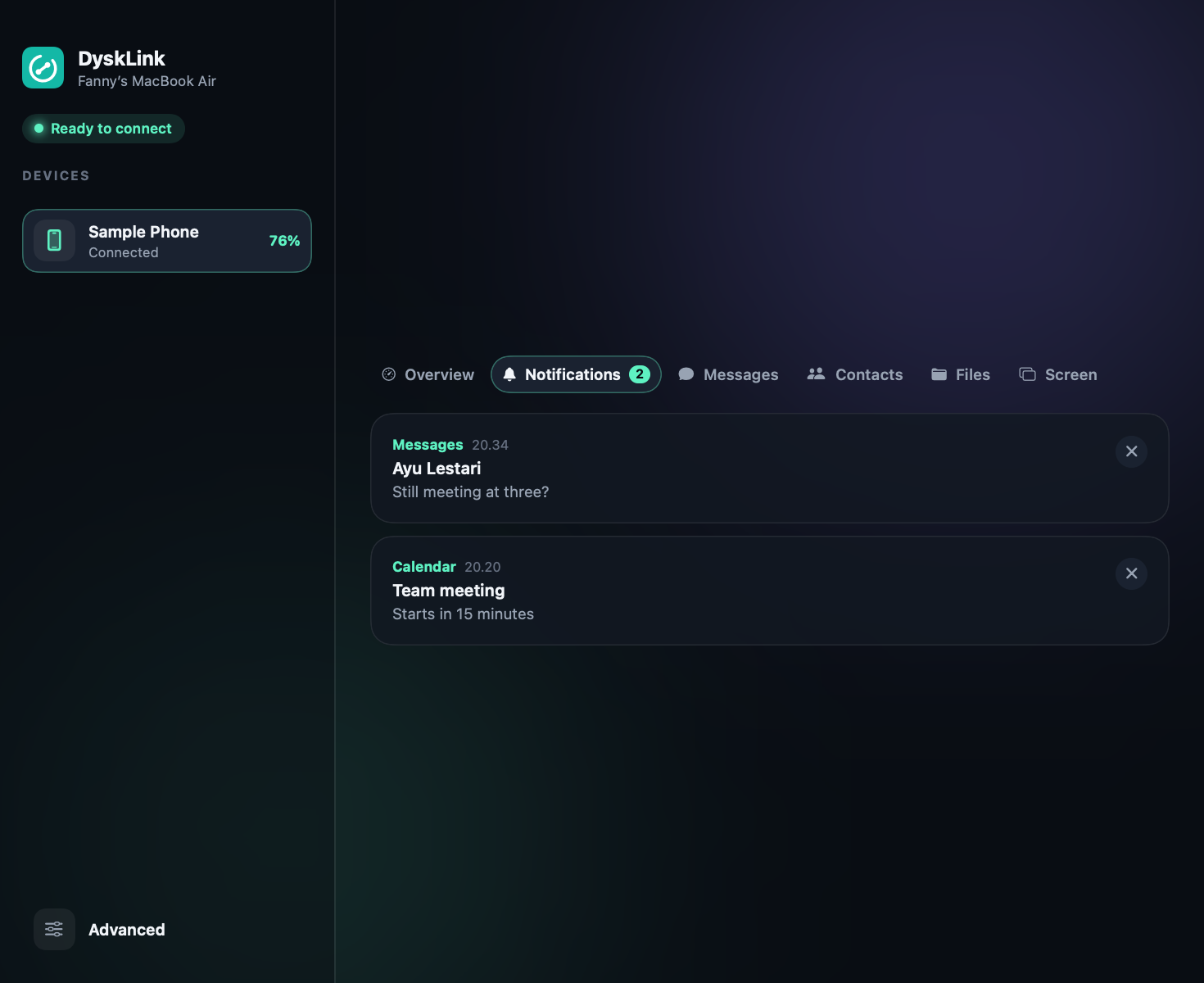
Desktop · MobileConnects a Mac and an Android phone over local Wi-Fi, with no cloud and no account: files, clipboard, notifications, SMS, the phone screen and remote control, plus optional Mac tools like a notch, Clipboard History and battery care.
Description
DyskLink connects a Mac and an Android phone over the local Wi-Fi network, with no cloud and no account. It comes as two apps that speak the same protocol: DyskLink for Mac (Swift and SwiftUI) and DyskLink for Android (Kotlin and Jetpack Compose).
On top of the phone link, the Mac app carries a set of optional tools, each off until you turn it on, that also work without a phone.
Background
Linking a phone to a computer usually means a vendor’s cloud, an account, or a phone and laptop from the same brand. DyskLink was built for the common mix of a Mac and an Android phone, keeping everything on the local network so nothing passes through someone else’s server.
Goal
Make the Mac and an Android phone feel like one setup: files, clipboard, messages and the phone screen moving between them directly and encrypted, with a pairing that only has to happen once.
Features
With the phone
- Pairing with a one-time 6-digit code, then automatic, encrypted connections found over mDNS, a subnet scan, a manual IP, or USB (adb).
- Files both ways, a shared clipboard, photo sync, a gallery of the phone’s photos and videos, and sound shared in either direction.
- Phone notifications, SMS and calls on the Mac, with contact and SMS search, the phone’s screen time, verification codes in the notch, and low-battery warnings.
- The phone’s screen on the Mac with game keys, the Mac’s screen on the phone, the phone as a second display, and the phone camera as a Mac camera with a clean view for OBS.
- The phone as a work tool: remote control and air mouse, a Stream Deck-style button pad, voice typing, barcode and document scanning, and a terminal.
- Lock the Mac when the phone walks away, wake it over the network, and home-screen widgets on Android.
On the Mac alone
- A notch with clipboard, code snippets, to-dos, music, Pomodoro, water reminders, prayer times, weather and notes.
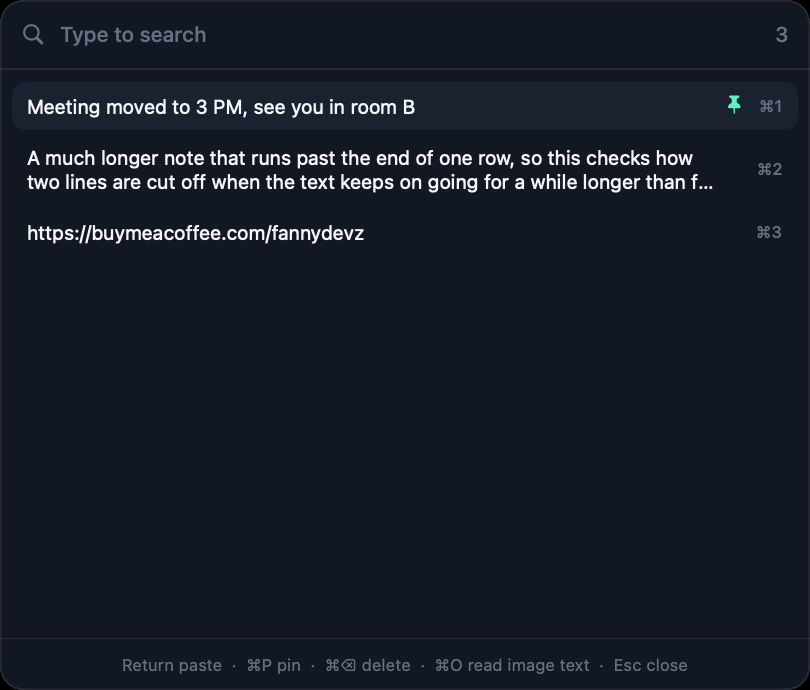
- Clipboard History, a Launcher, Window Layout, window previews, text capture from the screen (OCR), System Monitor, Keep Awake, brightness and volume control, and mouse tweaks.
- Mac care: cleaner, duplicate finder, uninstaller, startup items, and battery health with charging control (charge limit, sailing, heat protection, calibration).
- Update checks with Install and restart, which only swaps the app after checking it is signed with the same certificate.
Technologies
- Swift and SwiftUI on macOS 15+, with Network.framework for TLS and Bonjour, ScreenCaptureKit and VideoToolbox for screens, Vision for on-device text recognition, and IOKit for battery data
- Kotlin and Jetpack Compose on Android 8+, with ML Kit for document scanning and text recognition
- A shared, documented wire protocol, covered by an integration test that runs the Android core against the Mac app over real TLS
How to Run
Download DyskLink-mac-arm64.zip and the Android APK from their latest releases, or see the DyskLink page
. To build the Mac app yourself, run ./scripts/create-signing-cert.sh once, then ./scripts/bundle.sh and open dist/DyskLink.app; the Command Line Tools are enough. Open both apps on the same network and type the code the Mac shows on the phone.
Technical Decisions
Everything stays on the local network: devices find each other with mDNS (with a subnet scan and manual IP as fallbacks), and every connection is TLS between paired keys. Phone data such as notifications and messages is kept in memory on the Mac rather than written to disk. Battery charging control needs root, so it runs through a small dysklink-power helper with a launchd guard that turns charging back on if DyskLink stops or the battery runs low.
Notes
Formerly named PhoneLink, it now lives under the DyskLab organization and is released under the MIT license. Version 1.0 is out for both Mac (Apple Silicon) and Android. Neither app is notarized or on Google Play, because some features need permissions those stores don’t allow.

Hey! I’m Fanny, the software engineer tending to this digital garden. You can read more about me, or subscribe by email.